Left-click to choose a report from the Report Panel.
When the chosen report's page opens, you can refine the report parameters by choosing from the Report Period drop-down and entering a specific Date.
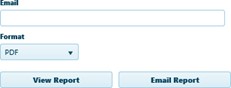
Expand the Format drop-down and choose an Adobe Portable Document Format file (.pdf), an Excel spreadsheet (.xls), or CSV format.
Click the View Report button or enter an Email address in the field provided then click the Email Report button.